Replit in 2025: A Developer’s Honest Review of the Online IDE


You have probably reached a point where you want to build something.
It could be a small app, a side project, or even the first version of a business idea. But the usual process of installing tools, configuring environments, and fixing unexpected errors often takes more time than the actual building.
At some point in that frustration, you start looking for a faster way to create… and Replit appears as a platform that lets you open your browser and begin right away.
That is usually when the questions begin.
Can it really act as a full development environment? How reliable is the AI Agent? Is it strong enough for real projects, or is it better suited for quick experiments?
This review will walk you through everything… what Replit does well, where it falls short, and how to decide if it fits what you want to build next.
Replit Overview
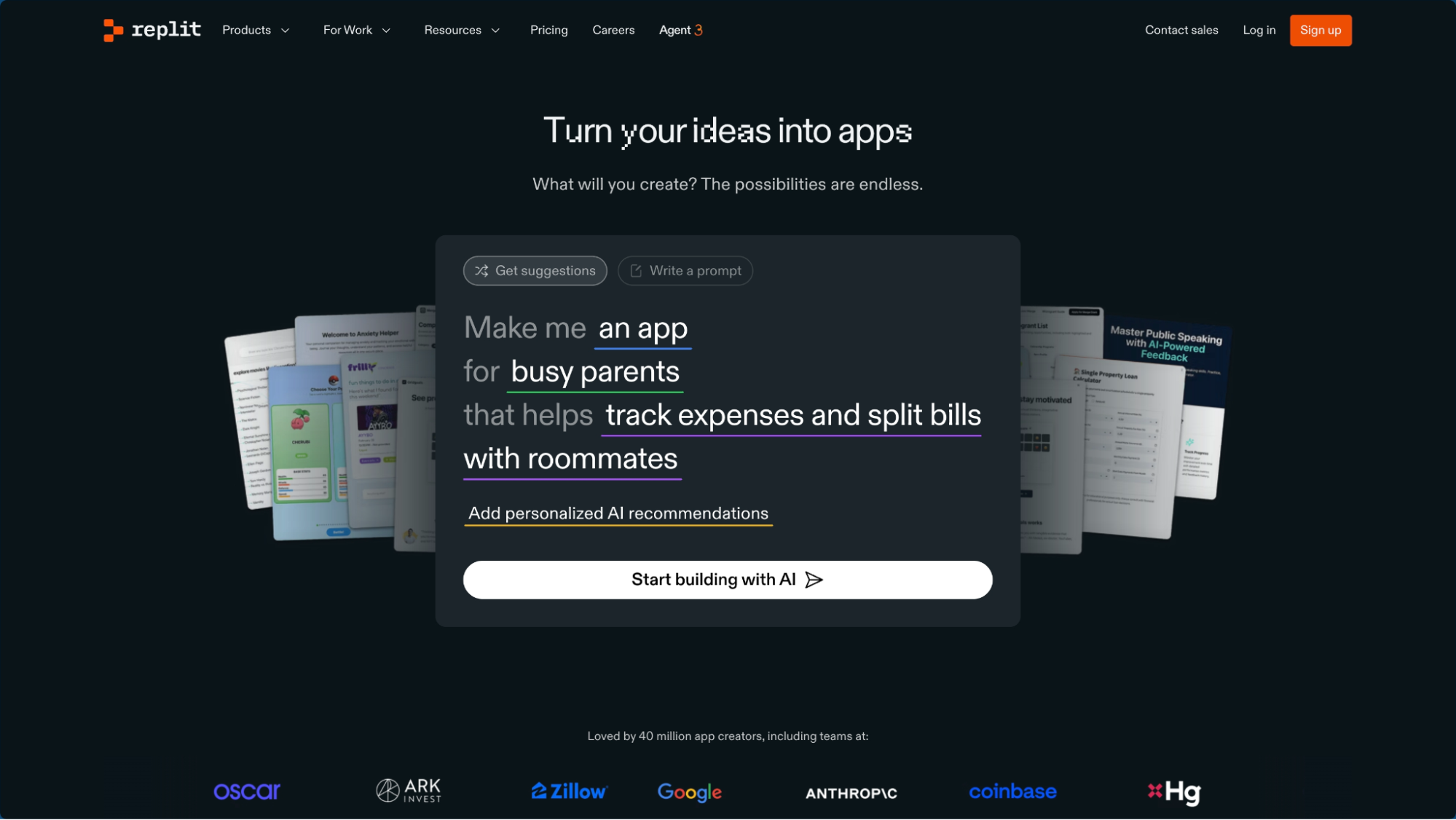
Replit is a cloud-based integrated development environment and deployment platform that lets you write, run, and host applications directly inside your browser.
It brings everything into one place… your editor, your testing environment, your database, your hosting, and your deployment tools… so you can build without dealing with complicated setups or installing software on your computer.
It was created to remove all the technical friction that usually slows people down when they want to start coding or launch an idea. Instead of configuring systems for hours, Replit gives you a space where you can focus on creating.
This helps:
- beginners who want to learn
- founders who want to launch quickly
- developers who want to collaborate with ease
So, basically, Replit is an online workshop where you can create apps instantly… you open your browser, start typing your idea, and watch it turn into something real.
Features
Here’s a quick look at what Replit actually offers so you can see how each feature helps you build faster and work with less friction.
Agent
The Agent product from Replit is an AI-powered assistant that can build full-stack applications from plain language prompts. You tell it the app or website you want, and it sets up the project, writes code, configures dependencies, and even integrates data storage and authentication.
Design
Replit’s Design feature allows you to turn a visual design into a working app. You can import layouts from design tools like Figma, edit visually in-browser, and then let the Agent generate matching UI components and backend functionality.
Database
The Database product offers a fully-managed, serverless SQL database built into Replit apps. With one click you can add persistent data storage to your project workspace.
Deployments
Under the Deployments feature, Replit makes publishing your app live quick and easy. You push your project from dev to production with minimal fuss.
Security
Replit’s Security product is built-in to help developers and teams build safer apps from the start.
Integrations
The Integrations feature lets your Replit apps connect with external services and APIs, including authentication providers, payment processors, messaging tools, data storage options, and analytics platforms.
Mobile
Replit’s Mobile product means you can work on and deploy apps straight from your smartphone or tablet. The editor, preview, and some build workflows are optimized for mobile devices (iOS/Android).
Pricing
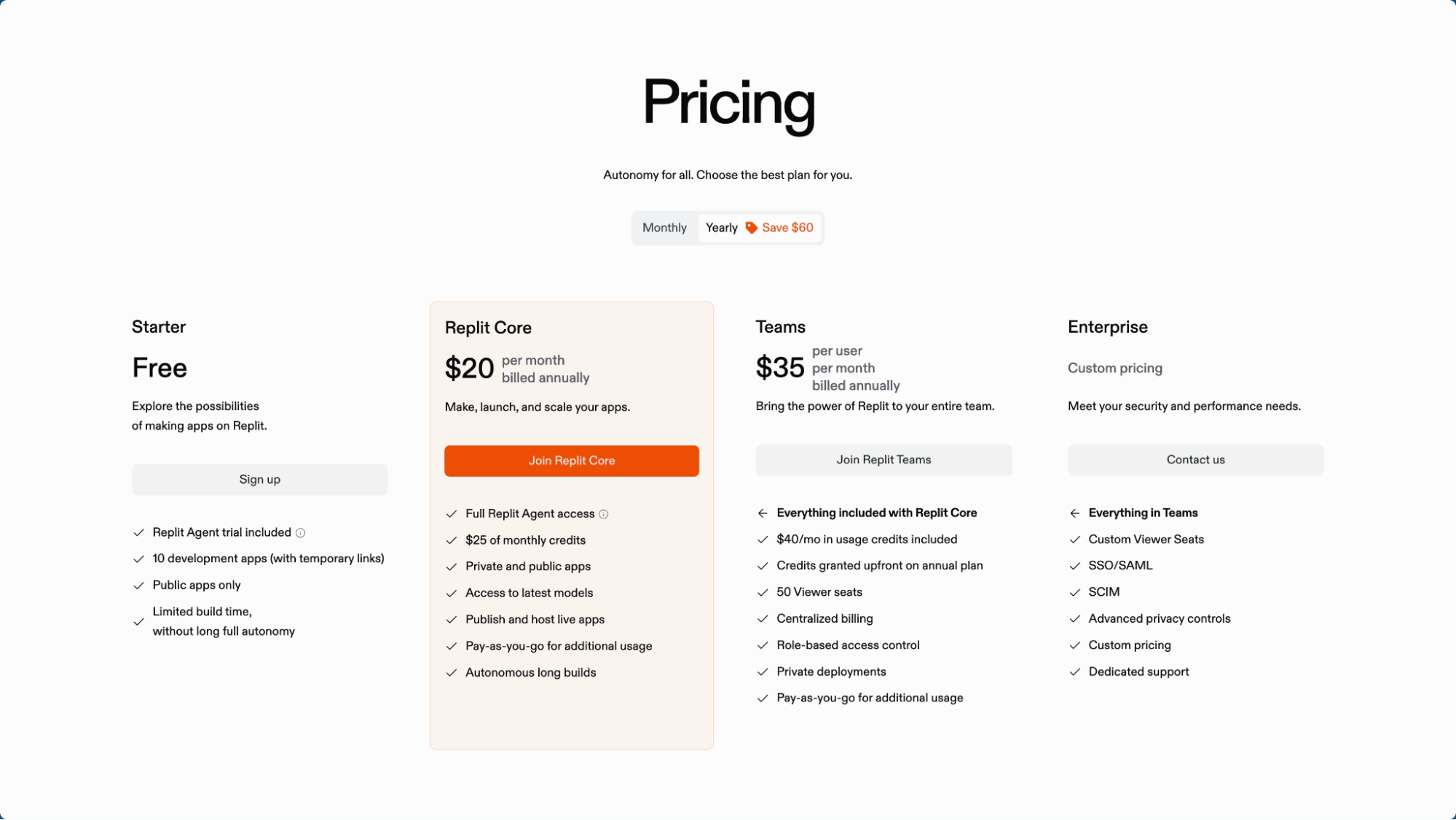
Before you decide to try Replit, it helps to know what each plan includes. Here’s a simple breakdown so you can find the option that fits your needs and budget.
Starter: Free plan
- Replit Agent trial included
- 10 development apps (temporary links only)
- Public apps only
- Limited build time… no long full autonomy
Replit Core: $20 per month when billed annually (includes $25 in monthly credits)
- Personal workspace
- Full Agent 3 access
- Create apps and automations
- Autonomous app testing
- Connectors
- Additional features shown on the pricing page (e.g., more build time, more storage)
Teams: $35 per user per month when billed annually (includes $40 in monthly credits)
- Everything in Replit Core
- Credits granted upfront on annual plan
- Centralized billing
- Role-based access control
- Private deployments
- Additional team-level admin controls
Enterprise: Custom pricing (custom credit allowance available)
- Everything in Teams
- Custom viewer seats
- SSO / SAML
- SCIM
- Advanced privacy controls
- SOC 2 and SSO compliance
- Additional enterprise-grade security and governance options
Pros and Cons

Replit has strengths that make building easier… and limitations that might matter depending on what you want to create.
Here’s a clear snapshot of both sides to help you judge fairly.
Pros
All-in-one platform… coding, testing, databases, deployments, and hosting all live in one workspace, removing setup headaches.
Strong AI support… the Agent can scaffold full apps, run tests, fix errors, and automate workflows, making development faster for beginners and pros.
Zero setup needed… everything runs in the browser, so you can start building immediately without configuring environments.
Fast prototyping… great for MVPs, hackathons, and early-stage product ideas due to easy deployments and integrated tools.
Built-in database and design tools… turn designs into working UI and connect serverless SQL with a few clicks.
Collaboration features… real-time editing, shared workspaces, and team controls make it easy to build together.
Flexible deployment options… static sites, full apps, autoscaling, custom domains, and SSL are all available.
Mobile accessibility… you can edit, preview, and run projects directly from your phone.
Good for teaching and learning… easy entry for students and beginners exploring coding.
Cons
AI results vary… complex apps often require manual fixes, and generated code may not be production-ready without review.
Performance limitations… larger or resource-heavy apps may outgrow the platform’s compute capabilities.
Credit-based usage can get expensive… frequent builds, deployments, or Agent tasks can burn monthly credits quickly.
Long-term scalability concerns… relying heavily on Replit’s ecosystem may lead to platform lock-in or migration challenges later.
Not fully no-code… beginners can get started, but real apps still require coding knowledge to debug, maintain, and scale.
Some features feel early-stage… especially in design import, integrations, and more advanced automations.
Enterprise-grade controls require higher tiers… teams needing SSO, SCIM, or private deployments must upgrade.
Is Replit Worth It?

Now that you know what Replit offers, this section helps you figure out if it truly matches your goals, your skills, and the kind of project you want to build.
It’s Worth It If:
You want to prototype or build quickly
If your goal is to launch a minimal viable product (MVP), experiment with ideas, or iterate fast, then Replit gives you a browser-based IDE, deployment and database built-in. This means you can move from idea to working app very quickly.
You have some coding knowledge or access to help
Although Replit simplifies a lot, many reviewers note you’ll still benefit from having a basic understanding of code and architecture
You’re working on small to medium scale projects
If you won’t immediately require massive compute, complex infrastructure, or large teams, then Replit’s limits (on memory, CPU, credits, etc.) are less likely to be problematic.
You value accessibility and collaboration
If you or your team want to work from a browser, collaborate in real time, share work instantly — Replit offers those benefits out-of-the-box.
It’s NOT Worth It If:
You’re building a large-scale, high-performance or mission-critical system
For apps that must handle heavy traffic, complex architecture, or enterprise-grade SLAs, you may hit Replit’s resource or customization ceilings.
You’re a non-technical user expecting zero code involvement
Some marketing may suggest “just describe your idea and it builds itself”, but reviews frequently point out that you still need coding skills or someone technical to refine the result.
You’re very cost-sensitive or unclear about usage vs credit billing
If you have low budget or need predictable pricing, the credit-based billing and hidden limits (AI credits, build time, scaling) may lead to surprise costs.
You need full control over infrastructure and environment
If you require specific system setup, deeper customization of runtime, advanced external integrations, or complete on-premises style control, then a more traditional stack may serve you better.
Conclusion
As you think about your next steps with Replit, we hope this guide helped you understand what it does well, where it falls short, and how it fits into different real-world scenarios.
If you want to continue sharpening your technical knowledge, you can explore our engineering articles and insights through our blog. We cover topics that help developers, aspiring engineers, and career-switchers grow with clarity.
If you’re preparing for hiring processes or want to understand how companies evaluate technical skill, our company online assessment guides break down what to expect and how to practice effectively.
If you’re leveling up in architecture or trying to understand system design more deeply, you might find our system design resource library useful. It’s designed to simplify complex engineering concepts into something more manageable.
And if your next step involves career growth, new roles, or breaking into software engineering, our software engineering career coaching offers structured guidance to help you move confidently.
If you just want a starting point for all our resources, you can always visit Lodely. Whatever you plan on building or learning next, we’re wishing you all the momentum you need to move forward.
FAQs
What languages does Replit support?
Replit supports dozens of languages including Python, JavaScript, TypeScript, Go, Java, C++, HTML/CSS, and more. Its browser IDE can spin up most common environments without manual configuration.
Can Replit build real production apps or only prototypes?
Replit can deploy production apps, but it performs best with small and medium projects. Larger systems with heavy compute, strict uptime requirements, or deep infrastructure customizations usually need a more traditional setup.
Is Replit good for complete beginners?
Beginners can get started easily thanks to the browser IDE and AI Agent, but real apps still require basic coding and debugging. Absolute beginners may need guidance when the AI-generated code becomes complex.
Does Replit lock you into its ecosystem?
Replit stores everything in its environment, and while you can export code, migrating databases, deployments, and integrations requires extra setup. It’s easy to start but requires planning if you intend to scale outside Replit later.
How reliable is Replit’s AI Agent for building apps?
The AI Agent is great for scaffolding and generating first versions of features. However, it can make mistakes or produce incomplete logic, so human oversight is essential for production-grade work.
✉️ Get free faang interview cheat sheet and interview tips weekly
✉️ Get free faang interview cheat sheet and interview tips weekly