


Adobe Online Assessment: Questions Breakdown and Prep Guide

Thinking about “Cracking Adobe’s Assessment” but not sure what you’re getting into? You’re not alone. Engineers eyeing Creative Cloud, Document Cloud, or Experience Cloud roles are staring down HackerRank/CodeSignal links, timers, and domain-tilted problems that reward clean code, strong fundamentals, and performance awareness.
If you want to walk into the Adobe Online Assessment (OA) confident and ready, this guide is your playbook. No fluff. Real breakdowns. Strategic prep.
When to Expect the OA for Your Role
Adobe doesn’t send the exact same OA to everyone. The timing and content depend on your role, level, and team.
- New Grad & Intern Positions – Expect an OA link within one to two weeks of initial recruiter contact. Often 1–2 coding questions plus a debugging or implementation task.
- Software Engineer (Backend / Full-Stack / Frontend / Mobile) – Standard OA via HackerRank or CodeSignal. Emphasis on data structures and algorithms, with occasional Adobe-flavored twists (text layout, intervals, imaging primitives).
- Data / Analytics / Data Platform – OA may mix coding with SQL-style questions, streaming counters, or log-parsing challenges.
- Security Engineering / SRE – Expect log analysis, rate limiting, network fundamentals, and reliability-focused coding tasks.
- Machine Learning / Computer Vision – Some sets include array/matrix manipulation, signal processing basics (convolutions, windows), or probabilistic reasoning alongside core algorithms.
- Senior Engineering Roles – Sometimes Adobe skips a generic OA and moves straight to live coding or system design, but many teams still use an OA as an initial filter.
Action step: As soon as you get a recruiter email, ask “What’s the expected format of the OA for this role?” You’ll usually get the platform (HackerRank, CodeSignal, etc.), duration, number of questions, and allowed languages.
Does Your Online Assessment Matter?
Short answer: yes — more than you might expect.
- It’s the main filter. A strong resume gets you the link; your OA unlocks the interview loop.
- It sets the tone. Your OA code can be referenced later. Interviewers sometimes scan it to guide follow-ups.
- It’s realistic. Adobe’s stack touches creative workflows, huge documents, and multimedia at scale — assessments reflect performance, correctness, and edge-case discipline.
- It signals your engineering style. Reviewers look for clarity, naming, testability, and complexity awareness — not just a green check.
Pro Tip: Treat the OA like a first interview. Write readable code, handle edge cases (empty inputs, Unicode strings, large files), and include brief comments that explain intent.
Compiled List of Adobe OA Question Types
Candidates report seeing a mix of foundational DS&A with Adobe-relevant patterns. Practice these:
- LRU Cache — type: Design / HashMap + Doubly Linked List
- Text Justification — type: Greedy / String Formatting
- Decode Nested Strings — type: Stack / String Parsing
- Top K Frequent Words — type: Heap / HashMap
- Merge Intervals — type: Sorting / Interval Sweep
- Find Median from Data Stream — type: Heaps / Streaming
- Flood Fill — type: DFS/BFS / Grid
- Construct Quad Tree — type: Divide & Conquer / Trees
- Edit Distance — type: Dynamic Programming / Strings
- Rectangle Overlap — type: Geometry / Bounding Boxes
- K Closest Points to Origin — type: Geometry / Heap
- Serialize and Deserialize Binary Tree — type: Trees / BFS-DFS
- Design Hit Counter — type: Queues / Sliding Window (rate limiting analogue)
- Implement Trie (Prefix Tree) — type: Design / Strings
How to Prepare and Pass the Adobe Online Assessment
Think of your prep as a training cycle. You’re building reflexes and code hygiene for large-scale, multimedia-friendly systems.
1. Assess Your Starting Point (Week 1)
Map your strengths (arrays, hashing, strings) and gaps (graphs, DP, concurrency, geometry). Run through a timed set of 4–6 mixed LeetCode mediums to baseline. Track accuracy and time per question to focus your plan.
2. Pick a Structured Learning Path (Weeks 2-6)
You have options:
- Self-study on LeetCode/HackerRank
- Best for disciplined learners. Build topic lists and timebox daily sets.
- Mock assessments / proctored platforms
- Simulate Adobe-style OAs with real timers and partial scoring.
- Career coach or mentor
- A software engineer career coach can critique clarity, performance trade-offs, and communication style.
3. Practice With Realistic Problems (Weeks 3-8)
Don’t just grind random problems. Target:
- Strings and parsing (Unicode, nested encodings, tokenization)
- Intervals and geometry (layouts, bounding boxes)
- Heaps and streaming (top-K, medians, rate limiting)
- Grid/graph traversal (flood fill, quadtree basics)
- Design-y DS (LRU, Trie, serialization)
Time every session. After each solution, refactor for readability, and add quick tests.
4. Learn Adobe-Specific Patterns
Adobe’s products surface recurring engineering patterns:
- Document parsing and layout
- Text wrapping, whitespace handling, hyphenation simplifications, pagination approximations.
- Imaging primitives
- Neighborhood scans, region filling, quadtree spatial partitioning, basic convolution reasoning.
- Collaborative editing and versioning
- Intervals merging, conflict resolution heuristics, efficient diff/patch thinking.
- Cloud sync and APIs
- Client-side batching, debouncing/throttling, rate limiting, idempotency.
- Analytics and event processing
- Sliding windows, approximate counts/top-K, memory-aware streaming.
- Unicode and cross-platform correctness
- Grapheme clusters, right-to-left text considerations, normalization edges.
5. Simulate the OA Environment
Use HackerRank/CodeSignal practice modes. Turn off distractions, set the exact OA duration (often 70–90 minutes for 2–3 problems), and code in your target language. Practice:
- Writing a few sanity tests
- Handling large input sizes
- Analyzing big-O trade-offs before coding
6. Get Feedback and Iterate
Share solutions with peers or online forums. Track recurrent mistakes (off-by-one in intervals, poor variable naming, missing edge cases). Create a checklist you run before submitting.
Adobe Interview Question Breakdown
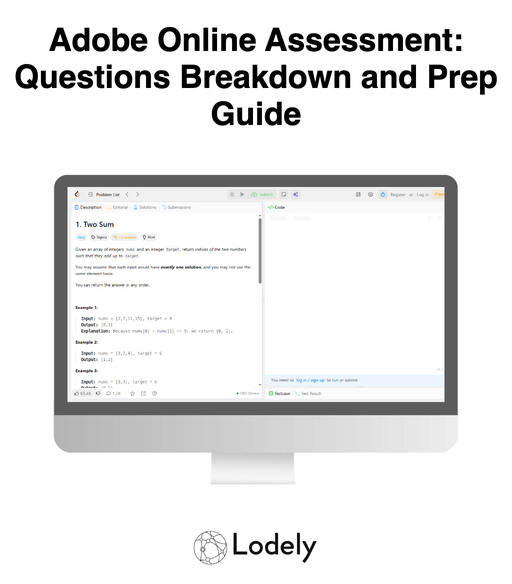
Here are featured sample problems that reflect Adobe-style thinking. Practice these patterns to cover most OA angles.
1. LRU Cache for Document Thumbnails
- Type: Design / HashMap + Doubly Linked List
- Prompt: Implement an LRU cache to store generated thumbnails for documents. Support get(key) and put(key, value) in O(1).
- Trick: Maintain a doubly linked list for recency and a hashmap for O(1) lookup. Be careful with node removal and insertion edge cases.
- What It Tests: API design under constraints, pointer hygiene, and memory/time trade-offs relevant to media caches.
2. Text Justification for PDF Page Layout
- Type: Greedy / Strings
- Prompt: Given a list of words and a maximum line width, output fully-justified lines mirroring a simple layout engine.
- Trick: Distribute spaces evenly with leftovers on the left; treat the last line and single-word lines as left-justified.
- What It Tests: Precision with strings, edge-case discipline, and reasoning about rendering rules.
3. Flood Fill With Color Tolerance
- Type: BFS/DFS / Grid
- Prompt: Implement region fill starting at (r, c), changing all pixels within a tolerance T from the starting color to a new color.
- Trick: Compare using absolute or Euclidean distance in color space; guard against infinite loops and large regions via iterative BFS.
- What It Tests: Graph traversal, queue/stack control, and performance on large images.
4. Merge Intervals for Comment Ranges
- Type: Sorting / Intervals
- Prompt: Given user comment spans on a document (start, end), merge overlaps and produce disjoint ranges.
- Trick: Sort by start; merge greedily by tracking the current end. Watch inclusivity (end-exclusive vs end-inclusive).
- What It Tests: Interval reasoning, sorting correctness, and off-by-one awareness seen in annotation tools.
5. Rate Limiter for Cloud Sync API
- Type: Queues / Sliding Window
- Prompt: Build a per-user token bucket or fixed-window limiter that allows at most k operations per window.
- Trick: Use a deque or timestamps to expire old events, or implement token accrual at a fixed rate; ensure amortized O(1).
- What It Tests: Stateful design, real-time constraints, and correctness under concurrency-like scenarios.
What Comes After the Online Assessment

Passing the Adobe OA isn’t the finish line — it’s your entry ticket. After you clear it, the process shifts to design depth, practical coding, and team fit.
1. Recruiter Debrief & Scheduling
Expect an email or call sharing pass/fail status and next steps. Ask about the upcoming rounds, interviewers’ focus areas (e.g., Document Cloud vs Creative Cloud), and recommended prep.
2. Live Technical Interviews
You’ll pair with Adobe engineers over a collaborative editor or video call. Expect:
- Algorithms & data structures (interactive variants of OA themes)
- Debugging/refactoring a small codebase or function
- Clean communication of trade-offs and complexity
Pro tip: Revisit your OA code. Interviewers may ask you to walk through decisions you made.
3. System Design / Architecture
For mid-level and senior roles, plan a 45–60 minute design deep dive. You might discuss:
- A simplified document rendering pipeline (pagination, caching layers)
- A collaborative editing service with conflict handling
- An event ingestion and aggregation pipeline for analytics
They care about scalability, consistency, failure modes, and how you prioritize trade-offs.
4. Frontend or Mobile Deep Dive
Roles building Creative Cloud or Acrobat surfaces may include:
- UI state management, debouncing/throttling, and virtualized lists
- Offline-first sync strategies on iOS/Android
- Performance profiling and minimizing layout thrash
Bring concrete examples and talk about metrics you’d track.
5. Behavioral & Values Interviews
Adobe looks for collaboration and impact. Expect prompts like:
- “Tell me about a time you improved a system’s performance under real constraints.”
- “Describe a conflict on a team and how you resolved it.”
Use the STAR method (Situation, Task, Action, Result) and emphasize ownership, clarity, and customer empathy.
6. Final Round / Onsite Loop
A multi-interview loop may include:
- Another coding session
- A focused design or architecture round
- Cross-functional chats with product/design or data partners
Prep for context switching and keeping energy up across multiple hours.
7. Offer & Negotiation
If things go well, you’ll get verbal feedback first, then a written offer. Adobe packages typically include base, bonus, and equity. Research ranges, compare total comp, and negotiate respectfully.
Conclusion
You don’t need to guess; you need a plan. The Adobe OA is challenging but predictable. If you:
- Diagnose weak areas early,
- Practice Adobe-flavored problems under timed conditions,
- Prioritize clarity, performance, and edge cases,
you’ll turn the OA from a barrier into your launchpad. Creative tools and document platforms demand precision — show that in your code, and you’ll walk into every next stage with confidence.
For more practical insights and prep strategies, explore the Lodely Blog or start from Lodely’s homepage to find guides and career resources tailored to software engineers.
✉️ Get free faang interview cheat sheet and interview tips weekly
✉️ Get free faang interview cheat sheet and interview tips weekly


