


Microsoft Online Assessment: Questions Breakdown and Prep Guide

Eyeing a Microsoft role and wondering what shows up on the Online Assessment? You’re in good company. Candidates across new grad, backend, data, and cloud roles all face timed coding, platform quirks, and domain-flavored twists — the hard part is knowing what to train for.
If you want to walk into the Microsoft Online Assessment (OA) calm, ready, and efficient, this guide is your no-fluff playbook. Real patterns. Precise prep. Clear next steps.
When to Expect the OA for Your Role
Microsoft’s OA isn’t one-size-fits-all. The timing and content depend on the role, level, and sometimes the team.
- New Grad & Intern Roles – Most candidates receive a HackerRank or Codility invite shortly after recruiter outreach. For internships, the OA is often the main filter before the “virtual onsite.”
- Software Engineer (Backend / Full-Stack / Mobile) – Expect 2–3 coding questions on HackerRank, Codility, or CodeSignal. Emphasis on arrays, strings, hashing, graphs, and occasionally a design-y “implement an API/class” task.
- Cloud/Systems (Azure, Windows, Edge) – OA still coding-heavy, but you may see concurrency-safe design questions, rate limiting, caching, or log/telemetry-style parsing.
- Data / ML / Analytics – Often includes SQL-style reasoning (e.g., aggregations) or array/matrix manipulation in addition to standard DS&A.
- Senior Engineering – Some teams skip a generic OA and go straight to live interviews or a Karat-style screen, but many still use an OA to calibrate fundamentals.
Action step: As soon as a recruiter reaches out, ask: “Which platform and how many questions? Any language restrictions?” You’ll usually get the platform, duration, and high-level scope.
Does Your Online Assessment Matter?
Short answer: absolutely.
- It’s the primary gate. A strong resume gets the invite; your OA performance gets you the loop.
- It sets expectations. Interviewers may review your OA code to guide later questions.
- It mirrors reality. Microsoft loves problems that reflect large-scale services (think Outlook, OneDrive, Azure telemetry): correctness, edge cases, and performance.
- It signals craft. Clear variable names, thoughtful complexity, and basic tests/comments make a difference.
Pro Tip: Treat the OA like interview zero. Time yourself, write readable code, and handle edge cases deliberately.
Compiled List of Microsoft OA Question Types
These categories are repeatedly reported by candidates. Practice them directly:
- Two Sum — Arrays / Hashing
- Longest Substring Without Repeating Characters — Sliding Window
- LRU Cache — Design / HashMap + DLL
- Merge Intervals and Meeting Rooms II — Sorting / Heap
- Course Schedule — Graph / Topological Sort
- Clone Graph — Graph / BFS-DFS
- Word Break — Dynamic Programming
- Minimum Window Substring — Sliding Window / Hashing
- Top K Frequent Elements — Heap / Bucket Sort
- K Closest Points to Origin — Heap / Quickselect
- Binary Search in Rotated Sorted Array — Binary Search Variants
- Number of Islands — Graph / DFS-BFS
- Coin Change — DP / Unbounded Knapsack
- Simplify Path — Stack / String Parsing
- Design Hit Counter — Queue / Sliding Window
- Decode Ways — DP / String

How to Prepare and Pass the Microsoft Online Assessment
Treat your prep like a short, focused training block. You’re building fast, correct problem-solving habits.
1. Assess Your Starting Point (Week 1)
Do a timed dry run of 2–3 medium LeetCode problems across arrays, strings, and graphs. Track time to first accepted solution, bug count, and complexity. Note your weak areas (graph traversal, DP, tricky string windows) and set a plan to close them.
2. Pick a Structured Learning Path (Weeks 2-6)
Options that work:
- Self-study on LeetCode/HackerRank
- Ideal if you can stay disciplined. Use LeetCode’s Microsoft-tagged lists and timed contests.
- Mock assessments / bootcamps
- Paid platforms simulate Codility/CodeSignal environments with strict timers and proctoring.
- Coach or mentor
- A mentor or a software engineer career coach can critique your code clarity and help with pacing under pressure.
3. Practice With Realistic Problems (Weeks 3-8)
Make a 40–60 question set from the list above. Focus on:
- Sliding window, heaps, graphs, and hash maps
- 1–2 design-style tasks (LRU Cache, Hit Counter)
- Occasional “systems-flavored” prompts (rate limiting, throttling, simple concurrency-safe design)
Timebox every session. After solving, refactor for readability and complexity.
4. Learn Microsoft-Specific Patterns
Expect problems that echo Microsoft product surfaces and scale:
- Scheduling and calendar intervals (Outlook): merging and minimum rooms
- Caching, pagination, and rate limiting (Edge/Azure): LRU, hit counters, token buckets (conceptual)
- Dependency graphs (builds/deployments): topological sort, cycle detection
- Search/autocomplete (Bing, internal tools): tries, frequency maps, top-k queries
- File system semantics: path normalization, deduping, directory traversal
- Telemetry/log analytics (Azure): streaming aggregates, windowed counts
You don’t need domain trivia — just map product realities to classic DS&A patterns.
5. Simulate the OA Environment
- Use Codility/HackerRank practice modes. Set a 75–90 minute timer for 2–3 problems.
- Disable hints. No tab switching. Treat it like the real thing.
- Do at least two full simulations in your target language and one backup language if you’re bilingual.
6. Get Feedback and Iterate
- Re-solve your missed problems after 24–48 hours.
- Share solutions with peers or a mentor. Ask: “Where is my logic fragile? Are my invariants clear? Is my complexity optimal?”
- Build a personal checklist: inputs, constraints, edge cases, complexity, tests.
Microsoft Interview Question Breakdown
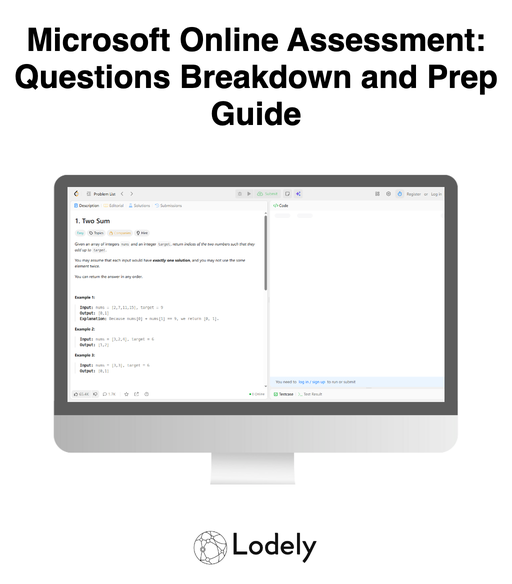
Here are featured sample problems mirroring Microsoft’s OA flavor. Practice these to cover a wide swath of the space.
1. Meeting Rooms II (Minimum Number of Rooms)
- Type: Sorting / Heap
- Prompt: Given intervals of meeting times, return the minimum number of rooms required.
- Trick: Sort by start time and use a min-heap of end times. When the earliest meeting ends before the next starts, reuse the room.
- What It Tests: Interval reasoning, heap usage, and attention to off-by-one overlaps — very Outlook-esque.
2. LRU Cache
- Type: Design / HashMap + Doubly Linked List
- Prompt: Implement a cache with O(1) get/put and eviction of least recently used items.
- Trick: Combine a hashmap (key → node) with a doubly linked list to maintain recency. Carefully handle updates and eviction.
- What It Tests: API design, pointer discipline, and interface correctness — think Edge/Azure caching fundamentals.
3. Word Break
- Type: Dynamic Programming
- Prompt: Given a string and a dictionary, determine if the string can be segmented into dictionary words.
- Trick: DP over prefixes with a set for O(1) dictionary lookups. Optimize by limiting word lengths or early exits.
- What It Tests: DP modeling, pruning, and string handling — useful for search/autocomplete-like logic.
4. Top K Frequent Elements (Telemetry Flavor)
- Type: Heap / Bucket Sort
- Prompt: Given an array, return the k most frequent elements. Consider large streams or near-real-time constraints.
- Trick: Frequency map plus bucket sort for O(n) or a size-k min-heap for O(n log k). Discuss streaming adaptations.
- What It Tests: Data aggregation, asymptotic trade-offs, and practical scaling — think Azure log pipelines.
5. Simplify Path
- Type: Stack / String Parsing
- Prompt: Normalize a file path by removing “.” and “..” and redundant separators.
- Trick: Use a stack for path segments, handling edge cases like multiple slashes and root semantics.
- What It Tests: Robust parsing, edge cases, and clean code — classic file system thinking.
What Comes After the Online Assessment

Passing the Microsoft OA is the starting line for deeper evaluation. Expect the process to shift from “can you code?” to “can you design, communicate, and operate at Microsoft scale?”
1. Recruiter Debrief & Scheduling
If you pass, you’ll usually hear back within a few days. The recruiter shares next steps and outlines your interview loop. Ask about the number of interviews, focus areas (coding vs. design), and expected timelines.
2. Live Technical Interviews
You’ll pair with Microsoft engineers over Teams or a collaborative editor. Expect:
- Algorithms & Data Structures (interactive variants of OA questions)
- Debugging/refactoring exercises
- Clear, structured communication of trade-offs and edge cases
Pro tip: Review your OA submissions; interviewers may ask you to walk through them.
3. System Design / Architecture Round
For mid-level and senior roles, you’ll have a design session. Prompts may include:
- Design a rate-limited API with caching
- Build a document storage service with search and sharing
- Design an event ingestion pipeline with telemetry aggregation
They’re assessing decomposition, scale/fault-tolerance thinking, data modeling, and clarity.
4. Behavioral & Values Interviews
Expect questions aligned to Microsoft’s culture (customer obsession, growth mindset, collaboration, inclusion). Examples:
- “Tell me about a time you changed your approach after receiving feedback.”
- “Describe a situation where you had to align with a team under tight constraints.”
Use STAR (Situation, Task, Action, Result). Highlight learning and impact.
5. Final Round / Onsite Loop
The loop typically bundles multiple interviews back-to-back:
- 1–2 coding interviews
- 1 design/architecture interview (role-dependent)
- 1 behavioral or cross-functional interview
- A conversation with the hiring manager
Manage energy and context-switching over several hours.
6. Offer & Negotiation
If you pass, you’ll get a verbal update, followed by a written offer. Compensation can include base, bonus, and equity. Come prepared with market data; negotiate thoughtfully on level, scope, and total package.
Conclusion
You don’t need to guess — you need a plan. The Microsoft OA is rigorous but consistent. If you:
- Identify weak areas early,
- Drill Microsoft-style problems under a timer,
- Write clean, edge-case-aware code,
you’ll convert the OA from a hurdle into momentum for the loop. You don’t need deep product trivia; you need disciplined problem solving and clear communication. Treat the OA as interview zero — and set yourself up to earn the offer.
For more practical insights and prep strategies, explore the Lodely Blog or start from Lodely’s homepage to find guides and career resources tailored to software engineers.
✉️ Get free faang interview cheat sheet and interview tips weekly
✉️ Get free faang interview cheat sheet and interview tips weekly


